Mecha Chameleon Wiki & Party Guide (Official title: MECCHA CHAMELEON)
A cute and goofy companion for Meccha Chameleon. Learn 3D body-paint camouflage, pose tricks, and hiding spots across Osaka, Penguin Hotel, Sugarland, and more maps.

Mecha Chameleon (Meccha Chameleon) is a charming 3D multiplayer camouflage hide-and-seek party game on Steam. Players control round chameleons who paint their plain white bodies to copy wall and prop colors, strike matching poses, and hold perfectly still while Seekers sweep the map looking for texture that doesn't line up.
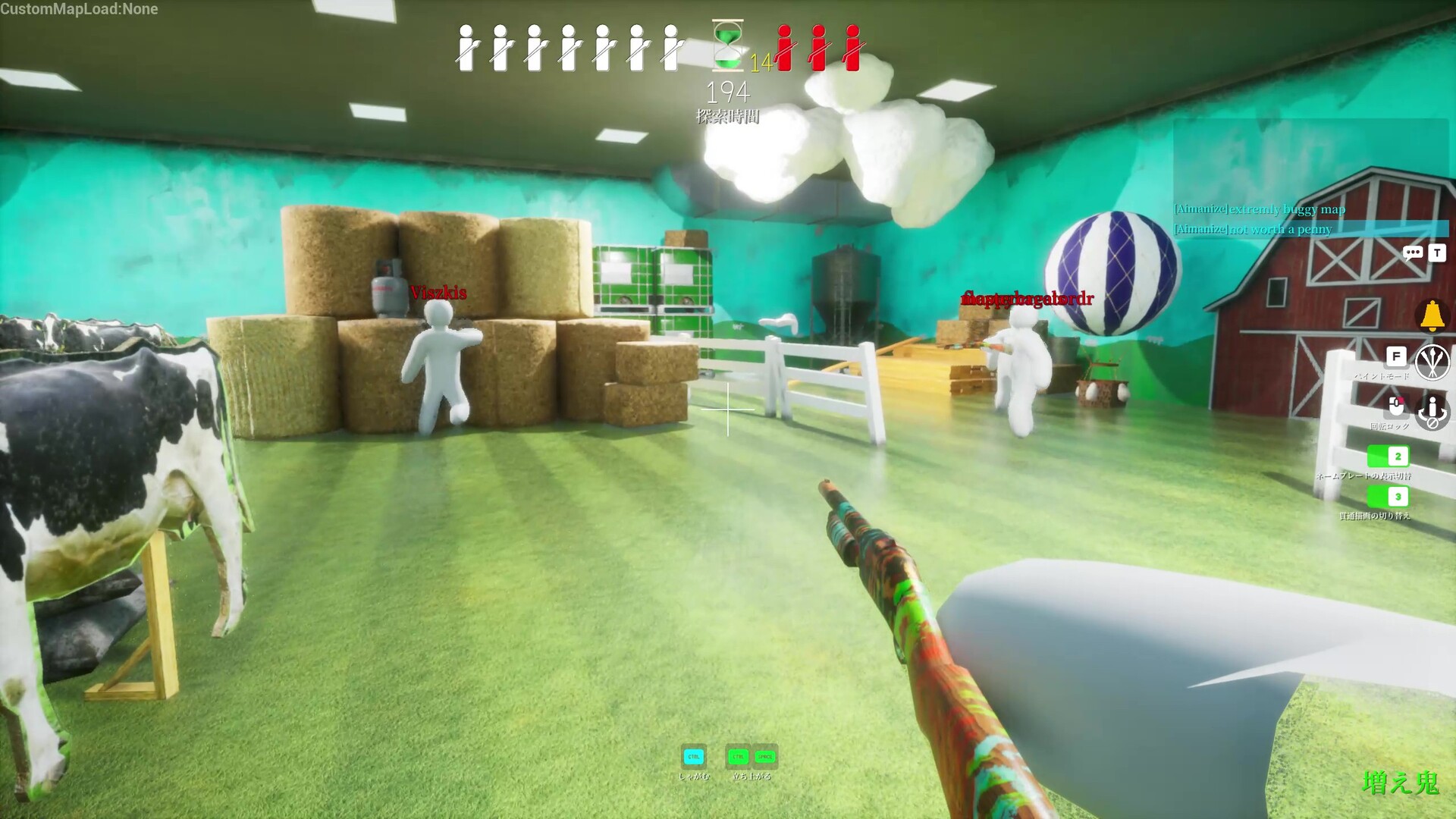
Interactive Hiding Spots & Camouflage Matrix
Official map coordinates, color pairing ideas & Seeker detection notes.
Neon Billboard Frame
Location: Rooftop level, inside the hollow neon sign above storefronts
Color Match: Electric Yellow & Neon Glow
Seeker Notes: Bright backlight masks silhouette edges
Cute Strategy: Climb up to the sign frame, sample the neon glow with the Spoid, and paint in layers. Busy ambient lighting makes Seekers' eyes glide straight past you!
Shop Front Signage
Location: Street level, flush against poster walls and vending corners
Color Match: Poster Reds & Off-White
Seeker Notes: High foot-traffic sweep zone
Cute Strategy: Sample two tones from the poster art (lit + shadow) and paint in layers. Press R for a flat pose that mimics the poster edge!
Penguin Ballroom Decor
Location: Grand ballroom, among repeated penguin statue clusters
Color Match: Ballroom Pastels & Ivory
Seeker Notes: Repeated decor confuses Seekers
Cute Strategy: The ballroom's repeated penguin decorations cause rapid pattern fatigue - position yourself between two identical props and match their paint.
Plush Guest Rooms
Location: Upper mezzanine hallways, beside beds and plush headboards
Color Match: Warm Bedsheet Tones
Seeker Notes: Indoor shadow shifts
Cute Strategy: Sample the bedsheet fabric and pose against the headboard. The connector hallways give you an instant escape route if a Seeker draws near.
Gumdrop Pile Center
Location: Among oversized candy gumdrop mounds
Color Match: Candy Brights & Sugar Pink
Seeker Notes: Harsh light exposes flat colors
Cute Strategy: Sugarland's high-key lighting punishes single-color paint jobs. Layer a darker shadow tone under your base color to prevent glossy shine.
Classic Furniture Row
Location: Main hall, between matching chairs and ornamental vases
Color Match: Mahogany & Gold Accents
Seeker Notes: Friendliest starting map
Cute Strategy: Mansion is the most forgiving stage. Match the polished wood tones, pose as an ornamental statue, and hold still - easiest first-round wins.
Playful Controls & Keybinds Guide
Painting, posing, and color sampling controls.
F Palette & Spoid Sampler
Press F to open the color palette, then use the Spoid eyedropper to sample stage colors - grab both a lit tone and a shadow tone for the best blend.
Left Click Paint & R Pose
Hold Left Click to paint your body with the sampled color, layering shadow and texture. Tap R to cycle poses that break up your silhouette!
First-Person Spotting
Playing as a Seeker? Sweep the map in first person, strafe to catch parallax shifts, and tag any chameleon whose paint doesn't quite line up!
Core Camouflage & Movement Pillars
Learn how color sampling, posing, and spot selection work together.
Start with a plain white body. Use the Spoid eyedropper to sample surface colors, then paint in layers - base tone, shadow, texture - to blend seamlessly into any wall.
Color alone isn't enough. Strike the right pose (R key) to break your chameleon silhouette and match nearby objects - a flat single color is the number one giveaway!
Pick your hiding spot fast during the prep window. High ground, busy textures, and dim lighting all stack the odds in your favor before Seekers release.
Playing as a Seeker? Strafe to catch parallax shifts, hunt lighting mistakes, and walk the walls looking for texture that doesn't quite line up.
Top Mecha Chameleon Guides
Jump straight to the strategy pages players search for most.
Walkthroughs & Game Tips
Mecha Chameleon: Backrooms Best Hiding Spots Guide
The best Mecha Chameleon Backrooms hiding spots - chair stacks, vending rows, wall bikes, exit signs, and the paint pairings that survive Seeker sweeps.
Mecha Chameleon Best Hiding Spots: Maps & Strategy
The best hiding spots and camouflage strategies for Mecha Chameleon's official maps: Osaka, Penguin Hotel, Sugarland, Mansion, and Sewer.
Mecha Chameleon Best Spots Tier List: All Maps Ranked
Mecha Chameleon hiding spots ranked S through C tier across all 7 maps - Mansion, Indoor Country, Penguin Hotel, Sewer, Osaka, and Sugar Land.
Mecha Chameleon Controls: Keybinds, Painting & Posing
Full PC keyboard and controller keybinds for Mecha Chameleon: paint palette, Spoid color sampling, pose switching, and Steam Deck layouts.
Mecha Chameleon Crossplay Guide: Switch 2, Steam & Deck
Does Mecha Chameleon support crossplay? Yes: Update 4.1.0 added cross-play between PC and Nintendo Switch 2, plus Steam Deck settings and specs.
Games Like Mecha Chameleon: Best Hide and Seek Party Games
Top games like Mecha Chameleon: discover the best prop hunt, hide-and-seek, and disguise party games on Steam from Garry's Mod to Witch It.
How to Play Mecha Chameleon With Friends: Lobby Setup Guide
Step-by-step guide to playing Mecha Chameleon with friends on Steam: setup private lobbies, send friend invites, and configure match settings.
Mecha Chameleon Hunter Skins: How to Unlock and Best Skins
Complete guide to Mecha Chameleon hunter skins: how to unlock Seeker cosmetics, customization options, and tips for standing out in lobbies.
Mecha Chameleon: Indoor Country Farm Hiding Spots
Top Mecha Chameleon Indoor Country hiding spots: hay bales, cow standees, high rafters, and paint pairings that survive open-sightline Seekers.
Mecha Chameleon: Minecraft Map Best Hiding Spots
The best Mecha Chameleon Minecraft workshop map hiding spots - block disguises, diamond ore camouflage, village houses, and seeker counter-tactics.
Mecha Chameleon Mobile Release: Status, VR & Remote Play
Is Mecha Chameleon coming to mobile or VR? Current platform status, Android/iOS availability, fake app warnings, and how to play on mobile via remote streaming.
Osaka Map Guide: Spots, Routes & Camo
Every strong Osaka hiding spot in Mecha Chameleon - neon rooftop, shop fronts, truck yard routes, and the camouflage pairings that survive Seekers.
Mecha Chameleon Paint Guide: Camouflage & Shading
Master Mecha Chameleon's paint system: Spoid color sampling, multi-layer shading, HSV material tuning, and pose silhouette manipulation.
MECCHA CHAMELEON Patch Notes: Update 4.1.0
MECCHA CHAMELEON Update 4.1.0 adds Kyoto and Art Museum maps, reworks stages, introduces 5-character join codes, and cuts network data by 40%.
Penguin Hotel Map Guide: Spots & Mezzanine
Mecha Chameleon Penguin Hotel map guide: high-value ballroom hiding spots, plush guest rooms, mezzanine escape routes, and lobby survival tips.
Mecha Chameleon Workshop Maps: Best Mods & Install
How to find the best Mecha Chameleon Workshop maps, subscribe on Steam, fix maps that won't download, and host custom-map rounds with friends.
Mecha Chameleon Frequently Asked Questions
What is Mecha Chameleon and how do you play? +
Mecha Chameleon (Meccha Chameleon) is a hilarious 3D multiplayer camouflage hide-and-seek party game on Steam by lemorion_1224. Chubby chameleons paint their plain white bodies with the in-game palette to blend into walls and props, strike matching poses, and hold still while Seekers sweep the map to spot them.
What are the controls in Mecha Chameleon? +
Press F to open the paint palette, use the Spoid eyedropper to sample surface colors, hold Left Click to paint your body, and press R to change your pose. A mouse and keyboard are recommended for precise color work, though a controller is supported.
How many players can play Mecha Chameleon? +
Lobbies are designed for 2 to 10 players (up to 24 depending on the host's network). You can join public rooms with strangers or create a private lobby and invite Steam friends.
How do you download and play Steam Workshop custom maps? +
Subscribe to custom maps on the Steam Workshop, launch Mecha Chameleon, create a Custom Lobby, and select the downloaded community map from the level selector.